Your CRM has a lead score field. It was configured in 2022 by someone who has since left the company, it assigns 10 points for opening an email and 20 points for job title keywords, and it has never once changed who your reps call first. Everyone on the sales floor knows the score is noise, so they ignore it, and your marketing team keeps asking why "MQL-to-SQL conversion" is stuck at the same number it was two years ago.
This is not a data problem. It is an architecture problem. A score only changes behaviour when it is built from signals that actually predict a purchase, weighted against each other in a defensible way, and wired directly into the routing and sequencing rules your reps already live inside. In this guide, we will build exactly that: a CRM-native lead scoring engine fed by LeadOcean buying signals, mapped into HubSpot or Salesforce custom properties, with automated handoff into Eaglet sequences the moment a threshold is crossed.
Key takeaways
- Most CRM lead scores fail because they live outside the CRM, blend fit and intent into one mystery number, and never decay.
- Separate B2B intent signals into three tiers: firmographic fit, behavioural intent, and buying-event triggers. Tier 3 triggers deserve the highest weight because they compress the buying window.
- Store Fit Score, Intent Score and Recency Score as separate CRM properties plus one composite Pipeline Score, with a daily decay job to prevent stale-hot leads.
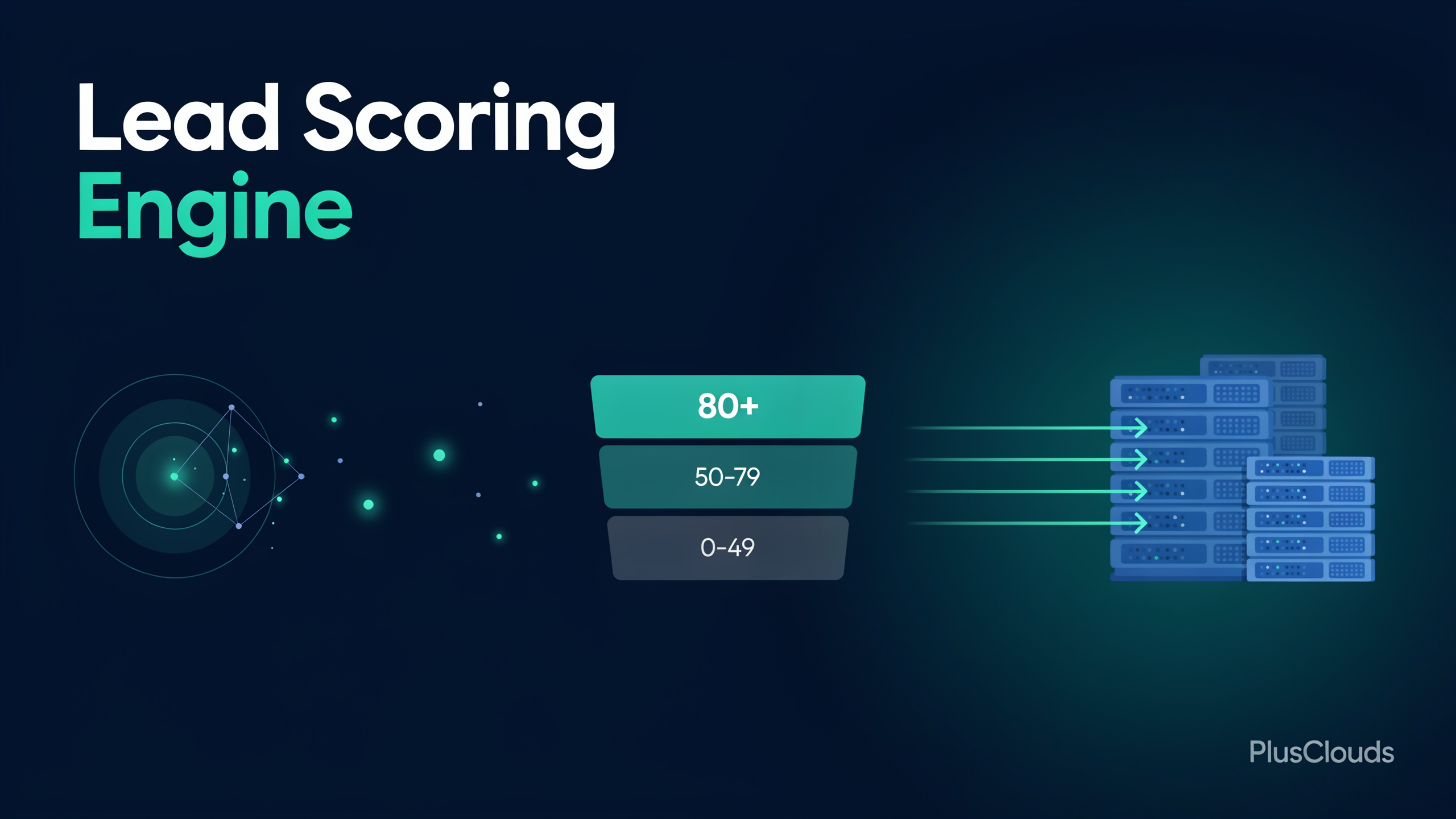
- Thresholds must trigger action: Hot (80+) assigns an AE and fires an Eaglet sequence within one hour, Warm (50-79) routes to SDR qualification, Nurture (0-49) stays in marketing.
- Calibrate weights against closed-won outcomes and recalibrate quarterly with a versioned changelog so the model keeps predicting deals instead of decorating records.
Table of Contents
- Why Most CRM Lead Scores Are Decorative (and How to Build One That Actually Routes Calls)
- The B2B Intent Signal Taxonomy: Firmographic Fit, Behavioural Intent, and Buying-Event Triggers from LeadOcean
- Scoring Architecture 101: Points, Decay, Thresholds, and Routing Rules
- Step-by-Step: Mapping LeadOcean Output Fields to HubSpot Custom Properties
- Step-by-Step: Mapping LeadOcean Output Fields to Salesforce Lead and Opportunity Objects
- Building the AI Lead Scoring Formula: How to Weight Fit vs. Intent vs. Recency
- Automating Handoff: How Eaglet Fires a Sequence the Moment a Score Crosses the Threshold
- The Dashboard Your Sales Leader Will Actually Use: Pipeline Velocity by Score Tier
- Maintenance Cadence: How to Audit and Recalibrate Lead Scores Quarterly Without Breaking Live Workflows
- Conclusion: A CRM Lead Scoring Engine Your Revenue Team Trusts
Why Most CRM Lead Scores Are Decorative (and How to Build One That Actually Routes Calls)
The failure mode is consistent across almost every B2B team we talk to. The score lives in a marketing automation platform, not the CRM. It is a single blended number, so a rep cannot tell whether a 70 came from great fit plus weak intent or terrible fit plus one desperate pricing-page visit. And it never decays, so a lead that engaged heavily in March still shows a hot score in September.
Industry research backs this shift. B2B teams in 2026 are moving away from static MQL scoring toward dynamic, signal-layered enrichment, and AI-assisted lead scoring systems now ingest real-time behavioural data, page visits, and engagement patterns rather than static form fills (see dwmedia's 2026 B2B trends roundup and Improvado's analysis of AI lead generation practices).
A pipeline prioritisation score that actually routes calls needs four properties:
- Component visibility. Reps see fit, intent, and recency as separate sub-scores, not one mystery number.
- Recency. Signals decay. A pricing-page visit 48 hours ago is worth something; one from six weeks ago is not.
- Trigger-based routing. Crossing a threshold does something: it assigns an owner, fires a sequence, changes pipeline stage.
- CRM-native storage. The score lives as a property on the Lead or Contact object, so reporting, views, and automation all read from the same source of truth.
If your score fails any of these, it is decoration. The rest of this article fixes all four.
The B2B Intent Signal Taxonomy: Firmographic Fit, Behavioural Intent, and Buying-Event Triggers from LeadOcean
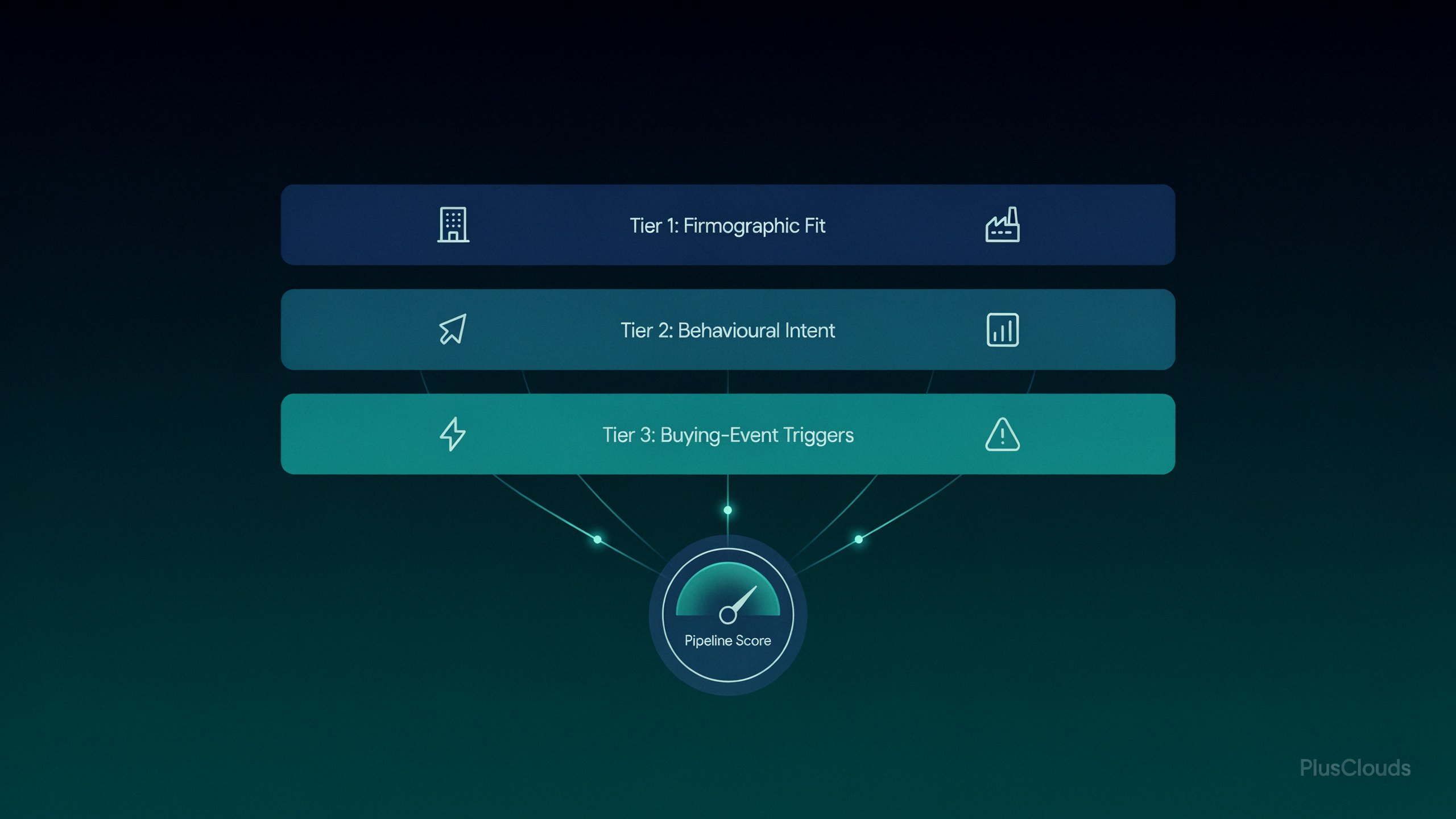
Before you write a single scoring rule, separate your signals into three tiers. They behave differently, decay at different rates, and deserve different weights.
Tier 1: Firmographic fit. These are static attributes that answer "should this company ever be on our list?" Employee count, industry, revenue band, geography, tech stack. Fit does not decay, but it also does not predict timing. A perfect-fit company with zero intent is a nurture record, not a call-now record.
Tier 2: Behavioural intent. Website visits, content downloads, email engagement, webinar attendance. These answer "is this company warming up?" They decay on a scale of weeks. They are useful but rarely urgent on their own.
Tier 3: Buying-event triggers. These are the signals that actually move pipeline. A decision-maker visiting your pricing page. A new VP of Engineering hired at a target account (a classic tooling-evaluation window). A company announcing funding or expansion. Third-party review-site activity. LeadOcean's buying-signal detection surfaces exactly this tier, resolved to verified decision-maker contacts rather than anonymous company-level traffic, which is what makes the signal actionable instead of merely interesting.
The distinction matters because Tier 3 signals compress the buying window dramatically. We covered the mechanics of acting within that window in The 48-Hour Activation Window; the short version is that a trigger-event lead contacted within two days converts at a multiple of the same lead contacted two weeks later. Your buying signal scoring model has to reflect that urgency, not just acknowledge it.
If you are still building the upstream discovery layer, our guide to firmographic filters, buying signals, and AI matching covers how to populate the account list this scoring engine operates on.
Scoring Architecture 101: Points, Decay, Thresholds, and Routing Rules
Here is the revenue operations scoring architecture that works in practice, whether you run HubSpot or Salesforce.
Three component scores, one composite. Store Fit Score, Intent Score, and Recency Score as separate numeric properties, plus a composite Pipeline Score computed from them. Reps get diagnostics; automation gets a single trigger value.
Decay as a scheduled job, not a formula. Most CRMs cannot compute time-decay inline. The practical pattern: run a daily workflow or scheduled flow that subtracts a fixed percentage from the intent score of any record with no new signal in the last 14 days. Simple, auditable, and it prevents the stale-hot-lead problem.
Thresholds tied to actions. Define three tiers explicitly:
| Tier | Composite Score | Routing Rule |
|---|---|---|
| Hot | 80+ | Assign AE, fire Eaglet sequence within 1 hour |
| Warm | 50-79 | Route to SDR queue for qualification |
| Nurture | 0-49 | Marketing nurture track, re-scored on new signals |
Routing rules live in the CRM, not in a spreadsheet. The whole point of CRM-native scoring is that the same property that drives the number in the UI also drives workflow enrollment, owner assignment, and sequence triggers. One source of truth, many consumers.
Step-by-Step: Mapping LeadOcean Output Fields to HubSpot Custom Properties
LeadOcean's native HubSpot integration pushes enriched company and contact records directly into your portal. Here is the mapping pattern we recommend for LeadOcean HubSpot integration.
Step 1: Create the custom properties. In HubSpot, under Settings > Properties, create these on the Contact object (or Company, depending on your model):
leadocean_fit_score(number)leadocean_intent_score(number)leadocean_last_signal_type(single-line text)leadocean_last_signal_date(date)leadocean_buying_trigger(single-line text, e.g. "pricing page visit", "new executive hire")pipeline_score(calculated or workflow-maintained number)
Step 2: Map the integration fields. In the LeadOcean integration settings, map its output fields to these properties. The critical one is last_signal_type and last_signal_date: together they let you distinguish what happened from when it happened, which is the raw material for both decay and weighting.
Step 3: Build the composite calculation. If you are on HubSpot Operations Hub, use a calculated property. Otherwise, a scheduled workflow does it:
Composite = (Fit × 0.4) + (Intent × 0.45) + (Recency × 0.15)Step 4: Enroll on threshold. Create a contact-based workflow: trigger when pipeline_score crosses 80 (use "is greater than or equal to" on a workflow-maintained property, since calculated properties do not fire history-based triggers reliably). The workflow's actions: set lead status to "Sales Qualified", assign round-robin owner, and trigger the Eaglet enrollment (more on that below).
Step-by-Step: Mapping LeadOcean Output Fields to Salesforce Lead and Opportunity Objects
Salesforce gives you more room but also more ways to overcomplicate Salesforce lead scoring. Keep it disciplined.
Step 1: Create custom fields on Lead. In Setup > Object Manager > Lead > Fields & Relationships:
Fit_Score__c(Number, 3, 0)Intent_Score__c(Number, 3, 0)Last_Signal_Type__c(Text, 100)Last_Signal_Date__c(Date)Buying_Trigger__c(Text, 255)Score_Tier__c(Formula Text:IF(Pipeline_Score__c >= 80, "Hot", IF(Pipeline_Score__c >= 50, "Warm", "Nurture")))
Step 2: Connect LeadOcean via the Salesforce integration. Map incoming enriched records and signal events to the fields above. For accounts already in your CRM, LeadOcean matches on domain rather than creating duplicates, which matters more than most teams expect: a scoring engine fed by duplicate records produces duplicate outreach, and duplicate outreach burns the account.
Step 3: Handle the opportunity-level view. Signals do not stop after the lead converts. Map ongoing account-level signals to fields on the Account or Opportunity object so an open opportunity that suddenly shows a new buying trigger (say, a champion changing jobs at the target company) surfaces in your rep's view. A Signal_Alert__c checkbox plus a scheduled flow to clear it works fine.
Step 4: Use Flow for threshold routing. A record-triggered Flow on Lead, running when Pipeline_Score__c is updated, evaluates the tier and performs owner assignment, task creation, and status change. Avoid Process Builder for new builds; it is in maintenance mode.
Building the AI Lead Scoring Formula: How to Weight Fit vs. Intent vs. Recency
The default weighting we gave above (40/45/15) is a starting point, not a law. Here is how to reason about your own buying signal scoring model.
Fit should never dominate. If fit is weighted too heavily, your score becomes a re-sorted ICP list, and every perfect-fit company ties at the top regardless of behaviour. Fit earns roughly a third to 40% of the weight. It qualifies the account; it does not time the call.
Intent carries the timing information. This is where Tier 3 buying-event signals earn outsized weight. A pricing-page visit by a verified decision-maker should be worth more than ten blog-page views. Within intent, weight by signal specificity: a named decision-maker doing a high-intent action is worth several times an anonymous or low-intent action.
Recency is a multiplier, not a component. Some teams make recency a full third of the score. We think that is a mistake, because it lets a single old signal masquerade as fresh intent. Better: apply recency as a decay factor on intent, so intent points halve every 14 days of silence. A 60-point intent signal from yesterday stays 60. The same signal from a month ago is worth 30.
Calibrate against closed-won, not against opinions. Once you have 90 days of scored pipeline, run the obvious analysis: what were the average component scores of closed-won accounts versus closed-lost? If closed-won deals had a median intent score of 72 and closed-lost deals sat at 40, your weights are roughly right. If they are indistinguishable, your intent signals are not actually predictive and the taxonomy needs revisiting. Marketboats' B2B lead generation predictions make the same point from the industry side: the teams winning at AI lead scoring in 2026 are the ones closing the loop between signal data and deal outcomes, not the ones with the most signals.
Automating Handoff: How Eaglet Fires a Sequence the Moment a Score Crosses the Threshold
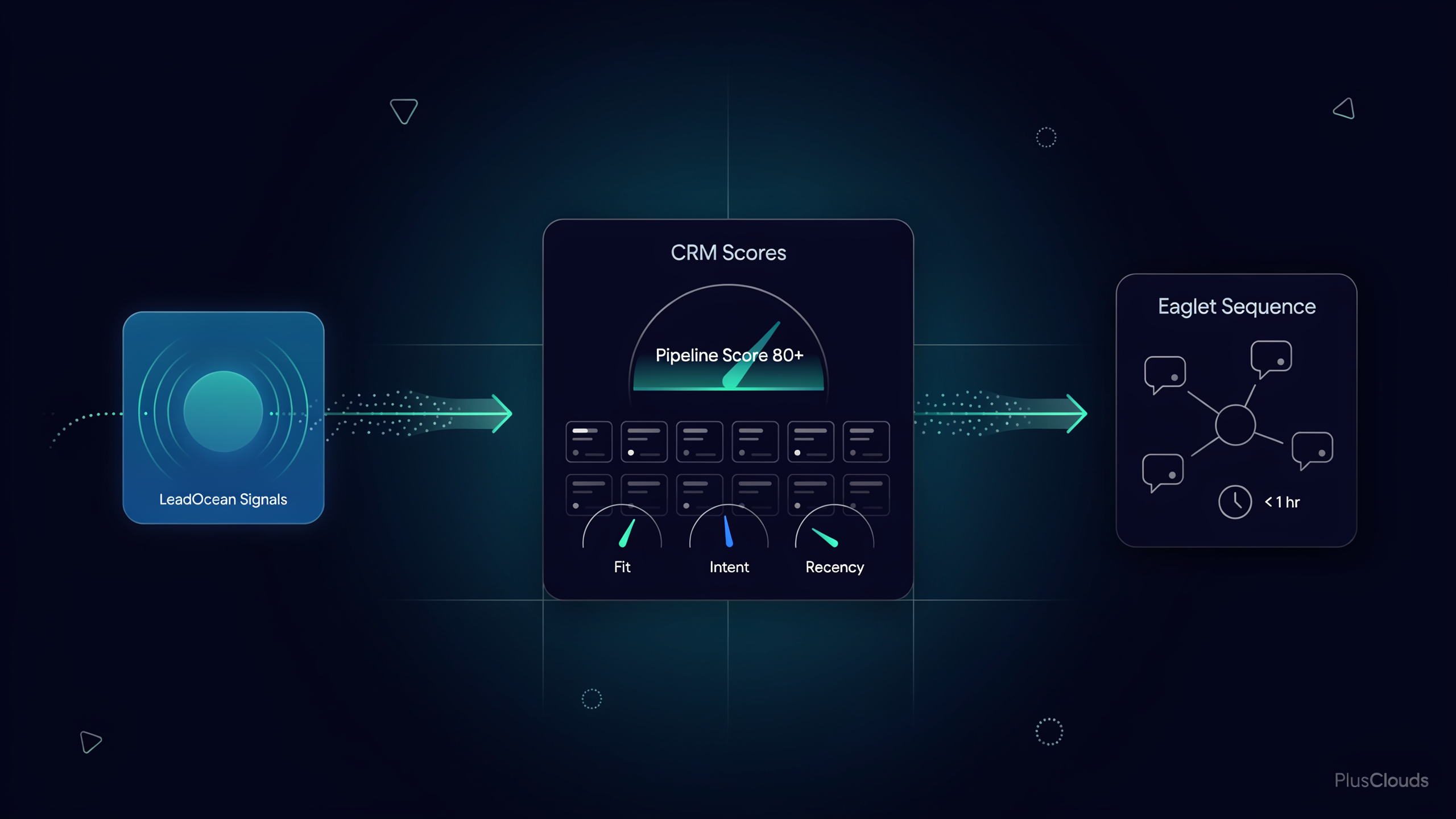
A score that crosses a threshold at 2 AM should not wait for a rep to notice it at 9:30 AM. This is where the handoff layer earns its keep.
Eaglet connects to your CRM and watches for exactly this kind of state change. When a record's Score_Tier__c (or HubSpot equivalent) flips to Hot, Eaglet enrolls that contact into the appropriate outreach sequence automatically, with the sequence choice driven by the signal type stored in Buying_Trigger__c. A pricing-page trigger pulls a ROI-and-pricing-focused sequence. A new-executive-hire trigger pulls a re-introduction sequence framed around the new leader's likely priorities. The signal does not just change whether you reach out; it changes what you say.
We covered the multi-channel version of this in depth in The Omnichannel Outreach Engine, which wires email, LinkedIn, and phone touches into coordinated sequences. The scoring engine you have just built is the trigger layer that decides when those sequences fire; Eaglet handles the how.
Two guardrails worth implementing on day one:
- Suppression rules. Never enroll a contact who is already in an active sequence, has a booked meeting, or has explicitly opted out. Eaglet's CRM sync respects these states, but verify your workflow filters mirror them.
- Daily caps per rep. A viral signal week can hand a rep 40 hot leads at once. Cap auto-assignments so quality of follow-up does not collapse under volume.
The Dashboard Your Sales Leader Will Actually Use: Pipeline Velocity by Score Tier
Your sales leader does not want a leaderboard of scores. They want to know whether the machine is producing revenue. Build one dashboard with four panels:
- Pipeline value by score tier. Open pipeline split into Hot, Warm, Nurture. If Hot is under 20% of open pipeline, either your thresholds are too loose or your signals are weak.
- Conversion rate by tier. Hot-tier leads should convert to meetings and to closed-won at a visibly higher rate than Warm. If they do not, recalibrate (next section).
- Signal-to-meeting time. Median hours from threshold crossing to booked meeting. This is the metric that justifies the whole architecture. If it is under 24 hours, you are winning the activation race.
- Signal type performance. Which
Buying_Trigger__cvalues produce the most pipeline? This tells you where to invest in signal coverage next.
In HubSpot, this is a standard report set on contact and deal properties. In Salesforce, the same panels work off Score_Tier__c and Buying_Trigger__c with a bit of report-type setup. Either way, the dashboard reads directly from the properties the scoring engine maintains, which is the payoff of CRM-native storage: no data exports, no reconciliation, no arguments about whose number is right.
Maintenance Cadence: How to Audit and Recalibrate Lead Scores Quarterly Without Breaking Live Workflows
Scoring models rot. Buyer behaviour shifts, your ICP drifts, and a signal that predicted deals in Q1 can be meaningless by Q4. A quarterly recalibration keeps the model honest. Here is a cadence that will not break live workflows:
Week 1: Outcome analysis. Pull every deal closed in the last two quarters with its component scores at threshold-crossing time. Compare Hot-tier win rates against Warm and Nurture. Compute the correlation between each signal type and closed-won outcomes.
Week 2: Weight adjustment, versioned. Adjust weights in a copy or a staging configuration first. Record the change in a scoring changelog (a simple doc: date, old weights, new weights, rationale). This document becomes surprisingly valuable when a sales director asks why a lead's score dropped last Tuesday.
Week 3: Backfill and shadow-run. Apply the new weights to historical records and compare tier assignments old versus new. If more than 20% of open records change tiers, expect turbulence in sequence enrollment and brief your team before it happens, not after.
Week 4: Deploy and monitor. Push the new weights live, then watch signal-to-meeting time and tier conversion rates daily for two weeks. Regression means rollback; the changelog makes that a five-minute decision instead of an archaeology project.
The discipline here is the same discipline that governs any production system: version your configuration, test before deploy, monitor after. Teams that skip the changelog inevitably end up with a score nobody can explain, and an unexplainable score is one quarter away from being ignored again.
Conclusion: A CRM Lead Scoring Engine Your Revenue Team Trusts
A lead score changes behaviour only when it is visible, decomposed, decaying, and wired to action. You now have the full blueprint: a three-tier signal taxonomy from LeadOcean, CRM-native property mappings for HubSpot and Salesforce, a weighted formula calibrated against closed-won outcomes, and an Eaglet handoff that turns threshold crossings into sequences within the hour, not the week.
If you want to see how this works against your current setup, start with LeadOcean's HubSpot and Salesforce integration and map the six properties from this guide this week. The scoring model will improve every quarter after that; the routing will start working on day one.