Your backup job completed at 2:14 AM. The logs show a green checkmark. Your restore points go back thirty days, and your offsite copy synced without errors. Then ransomware encrypts your production environment, and when you open the backup console, every restore point from the last three weeks is encrypted too. The attackers spent the first six days of their dwell time quietly deleting or corrupting your backups before they touched a single production server.
This is not a hypothetical. Ransomware crews treat backup infrastructure as their primary target precisely because it is the only thing standing between them and a payout. The CISA Stop Ransomware guidance explicitly lists securing backups as a core resilience measure, and modern attack tooling enumerates backup servers, hypervisor snapshot APIs, and cloud storage credentials as first-class objectives. If your backups share credentials with production, or if an administrator account can delete a restore point, your recovery architecture is a suggestion, not a control.
At the same time, NIS2 has changed what "we have backups" means in an audit. Under Directive (EU) 2022/2555, essential and important entities must report significant incidents to their National Competent Authority within 24 hours of awareness, and must demonstrate risk-management measures covering backup and recovery, business continuity, and crisis management. Your backup architecture is no longer just an IT asset. It is evidence.
Key takeaways
- Ransomware crews attack backup infrastructure first, through credential compromise, management-plane takeover, or replication poisoning.
- A ransomware-proof recovery layer combines three properties: immutable write-once storage, isolation from production credentials and networks, and a copy outside the blast radius.
- Compliance-mode object lock (WORM storage) is the only mechanism that guarantees deletion is impossible; bucket policies are defense in depth, not the control.
- NIS2's 24-hour early-warning requirement (Article 23) and business continuity duties (Article 21) make tested, documented RPO and RTO targets an audit necessity.
- Every scheduled job, SLA measurement, and timed recovery drill doubles as audit evidence for NIS2 and SOC 2 reviewers.
Table of Contents
- Why Ransomware Crews Target Your Backups First, and What That Means for Your Recovery Architecture
- Immutable vs. Air-Gapped vs. Offsite: Which Isolation Layer Does What
- How to Design a Write-Once, Append-Only Backup Tier on Cloud Storage
- Setting RPO and RTO Targets That Satisfy NIS2's 24-Hour Early-Warning Requirement
- Automating Backup Scheduling, Retention, and SLA Tracking Without Manual Oversight
- How to Run a Timed Recovery Drill That Proves Your RTO Is Real Before an Attack Forces the Question
- Audit-Ready Reporting: What Evidence NIS2 and SOC 2 Reviewers Actually Ask For
- Step-by-Step: Building the Immutable Recovery Layer on PlusClouds Automated Backup and Cloud Storage
Why Ransomware Crews Target Your Backups First, and What That Means for Your Recovery Architecture
Modern ransomware operations are businesses with Q&A processes. Affiliates run pre-encryption reconnaissance that includes mapping backup servers, identifying backup software service accounts, and testing whether stored credentials can delete restore points. The logic is simple: if the victim cannot recover, the victim pays. Analysis of ransomware incident response engagements consistently shows attackers disabling or destroying backup repositories before detonating encryption, which is why backup-focused strategies now dominate resilience planning guidance such as the N-able and N2WS ransomware backup strategy recommendations.
The attack paths against backups fall into three categories:
- Credential compromise. The backup service account has delete rights on cloud storage. Steal it, delete everything, then encrypt production.
- Management-plane compromise. The backup server itself is domain-joined and reachable. Attackers log in, stop the jobs, and wipe the repositories.
- Replication poisoning. Backups replicate from production to the backup tier, so corruption or encryption propagates faithfully to every "protected" copy.
Each path shares one root cause: the backup tier trusts the production environment. A recovery architecture that survives a ransomware event has to break that trust deliberately. That means three properties, working together:
- Immutability. A written backup cannot be altered or deleted by anyone, including administrators, for a defined retention window.
- Isolation. The backup tier is not reachable from production networks and does not share credentials with it.
- Independence. At least one copy exists outside the blast radius of your primary environment entirely.
We covered the foundational version of this in The 3-2-1-1 Backup Rule: How to Design a Ransomware-Proof Recovery Architecture on Cloud Infrastructure. That post explains why the final "1" (an immutable or offline copy) matters. This article goes one level deeper: how to actually engineer that copy on cloud storage, and how to prove it works to an auditor.
Immutable vs. Air-Gapped vs. Offsite: Which Isolation Layer Does What
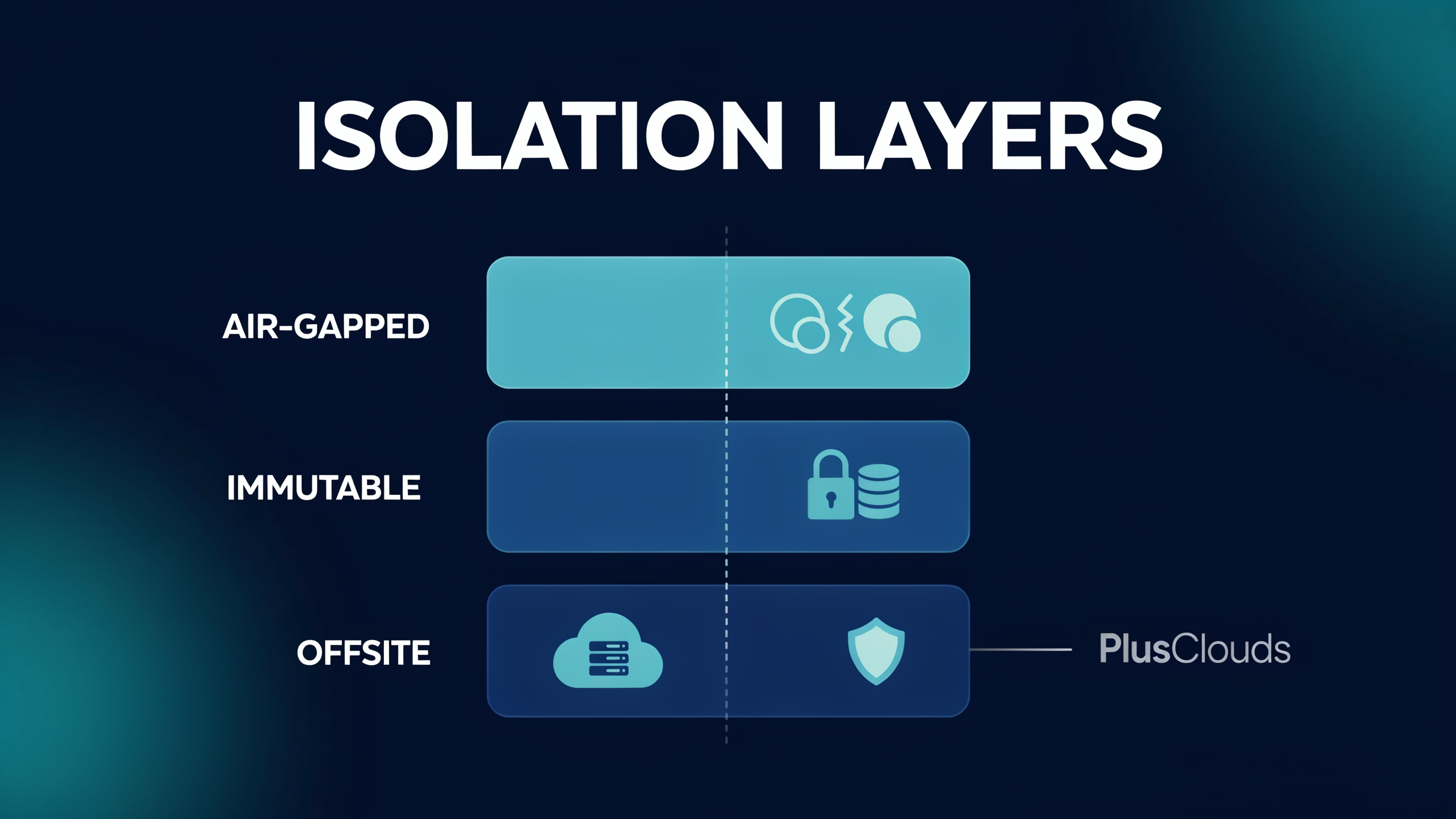
These three terms get used interchangeably in vendor marketing. They are not the same thing, and an auditor will notice if you cannot distinguish them.
| Property | What It Guarantees | What It Does NOT Guarantee | Typical Implementation |
|---|---|---|---|
| Offsite | A copy exists outside your primary facility | The copy cannot be modified or deleted | Cloud storage, second data center |
| Immutable | Objects cannot be altered or deleted for a retention period | The credentials or network path are isolated from production | Object lock in compliance mode, WORM storage |
| Air-gapped | No network path or shared credential connects the copy to production | The copy survives if the gapping mechanism is misconfigured | Separate account/tenant, logical isolation, or tape |
The layering matters because each property covers a different failure mode. An offsite copy without immutability dies to a stolen credential. An immutable bucket in the same account, reachable with the same admin role, dies to privilege escalation. A logical air gap (separate account, no trust relationship) covers both, at the cost of slightly more operational friction when you legitimately need to restore.
Full physical air gaps, meaning tape or removable media carried between sites, remain the gold standard for the most regulated workloads. But for most mid-market environments, a logical air gap on cloud storage delivers the same practical protection: a separate storage account with no federated identity, no shared API keys, and object lock enforcement that no principal in the account can override.
How to Design a Write-Once, Append-Only Backup Tier on Cloud Storage
The core mechanism is write-once storage, often called WORM (Write Once, Read Many). On object storage, this is implemented through object lock in compliance mode, which prevents any principal, including the root account, from deleting or overwriting an object until its retention period expires. AWS documents this model in the Amazon S3 Object Lock documentation, and equivalent mechanisms exist across major object storage platforms.
Design the tier around four decisions:
1. Retention period. Set object lock retention to your longest required recovery window. If your retention policy keeps 30 days of dailies, lock objects for at least that period. Compliance mode is non-negotiable here: governance mode can be lifted by privileged accounts, which reintroduces exactly the attack path you are defending against.
2. Ingestion path. The backup software writes to the immutable bucket, and only to the immutable bucket. The write path should use a dedicated role with PutObject and GetObject permissions and no delete permissions at all. Deletion happens only through retention expiry, never through an API call.
3. Separate identity boundary. Put the immutable tier in its own cloud account or tenant. No IAM trust relationship, no federation, no shared secrets. The only thing that crosses the boundary is backup traffic over a dedicated network path.
4. Versioning and encryption. Enable bucket versioning before object lock (it is a prerequisite), and enforce encryption at rest with keys managed independently of production. If an attacker cannot read the backups, encrypted backups are also a confidentiality control, which matters for GDPR and NIS2 data-protection obligations.
A minimal S3-style bucket policy for the immutable tier looks like this:
{
  "Version": "2012-10-17",
  "Statement": [
    {
      "Sid": "DenyAllDeletesAndRetentionChanges",
      "Effect": "Deny",
      "Principal": "*",
      "Action": [
        "s3:DeleteObject",
        "s3:DeleteObjectVersion",
        "s3:PutLifecycleConfiguration"
      ],
      "Resource": [
        "arn:aws:s3:::backup-immutable-tier",
        "arn:aws:s3:::backup-immutable-tier/*"
      ]
    }
  ]
}
One clarification, because this trips up a lot of implementations: the bucket policy restricts access, but it is not what guarantees immutability. The guarantee comes from compliance-mode object lock, which binds to the objects themselves and cannot be bypassed by any principal. The policy is defense in depth. The lock is the control.
Setting RPO and RTO Targets That Satisfy NIS2's 24-Hour Early-Warning Requirement
NIS2 Article 23 requires affected entities to submit an early warning to their CSIRT or competent authority within 24 hours of becoming aware of a significant incident, followed by an incident notification within 72 hours and a final report within one month. The 24-hour clock is about reporting, not recovery. But here is the practical connection: you cannot file a credible early warning without knowing what happened, and you cannot know what happened without intact logs, intact backups, and the ability to assess scope quickly. An entity whose backups were destroyed alongside production cannot accurately report impact within 24 hours, and its recovery timeline stretches from hours to weeks.
Separately, NIS2's risk-management measures (Article 21) require business continuity and disaster-recovery capabilities proportionate to the entity's risk exposure. That translates into documented, tested Recovery Point Objectives (RPO) and Recovery Time Objectives (RTO) for critical services.
Set the targets in three tiers:
- Tier 1 (critical services): RPO of 1 hour or less, RTO of 4 hours. Continuous replication plus frequent immutable snapshots.
- Tier 2 (important internal systems): RPO of 4 to 24 hours, RTO of 24 hours. Scheduled backups to the immutable tier.
- Tier 3 (archival and non-critical): RPO of 24 hours or more, RTO of days. Standard retention, lower-cost storage class.
Then do the arithmetic the auditor will do. If your immutable tier retains 30 days and your ransomware dwell time was, say, five days before detection, your clean restore point is at least five days old. Your effective RPO in a ransomware scenario is not your scheduled RPO. It is the interval between your last verified-clean backup and the start of attacker dwell time. This is why frequent backup cycles and early detection matter together, and why your incident response plan should include a "last known good" determination procedure. For a fuller treatment of the reporting obligations, see NIS2 and DORA in Practice: The Cloud Infrastructure Checklist Every European Business Must Complete Before the Auditor Arrives.
Automating Backup Scheduling, Retention, and SLA Tracking Without Manual Oversight
Manual backup management fails quietly. Someone disables a job for maintenance and forgets to re-enable it. Retention policies drift. Nobody notices that the offsite sync has been failing for two weeks because the alert went to a shared inbox. Under NIS2, that quiet failure becomes a documented control gap.
Automate three things:
Scheduling and retention as code. Backup schedules, retention windows, and object lock periods should live in configuration, not in console clicks. When the policy is code, you can review changes, and the immutable tier's retention cannot be shortened without an auditable change.
SLA tracking against declared RPO/RTO. Your backup platform should measure actual recovery point age against target RPO per workload and alert when any workload exceeds it. PlusClouds' Automated Backup service does exactly this: you declare explicit RPO and RTO targets per workload, the platform schedules and executes backups against them, and SLA tracking surfaces any workload drifting out of compliance. Remote restore is included, which matters for the isolation requirements discussed above, because the restore path does not depend on production-side tooling.
Failure alerting that reaches a human. Backup job failures route to your incident process, not an inbox. A failed backup is, functionally, a small outage of your recovery capability, and treating it that way is what auditors want to see.
The output of this automation is not just operational hygiene. Every scheduled job, every SLA measurement, and every alert becomes evidence, which is the next section's subject.
How to Run a Timed Recovery Drill That Proves Your RTO Is Real Before an Attack Forces the Question
A backup that has never been restored is a hypothesis. A recovery drill converts it into evidence, and under both NIS2 and SOC 2, evidence of tested recovery is what reviewers look for. We covered the documentation side of this in the DORA Article 11 & 12 Survival Guide, and the same testing discipline applies here.
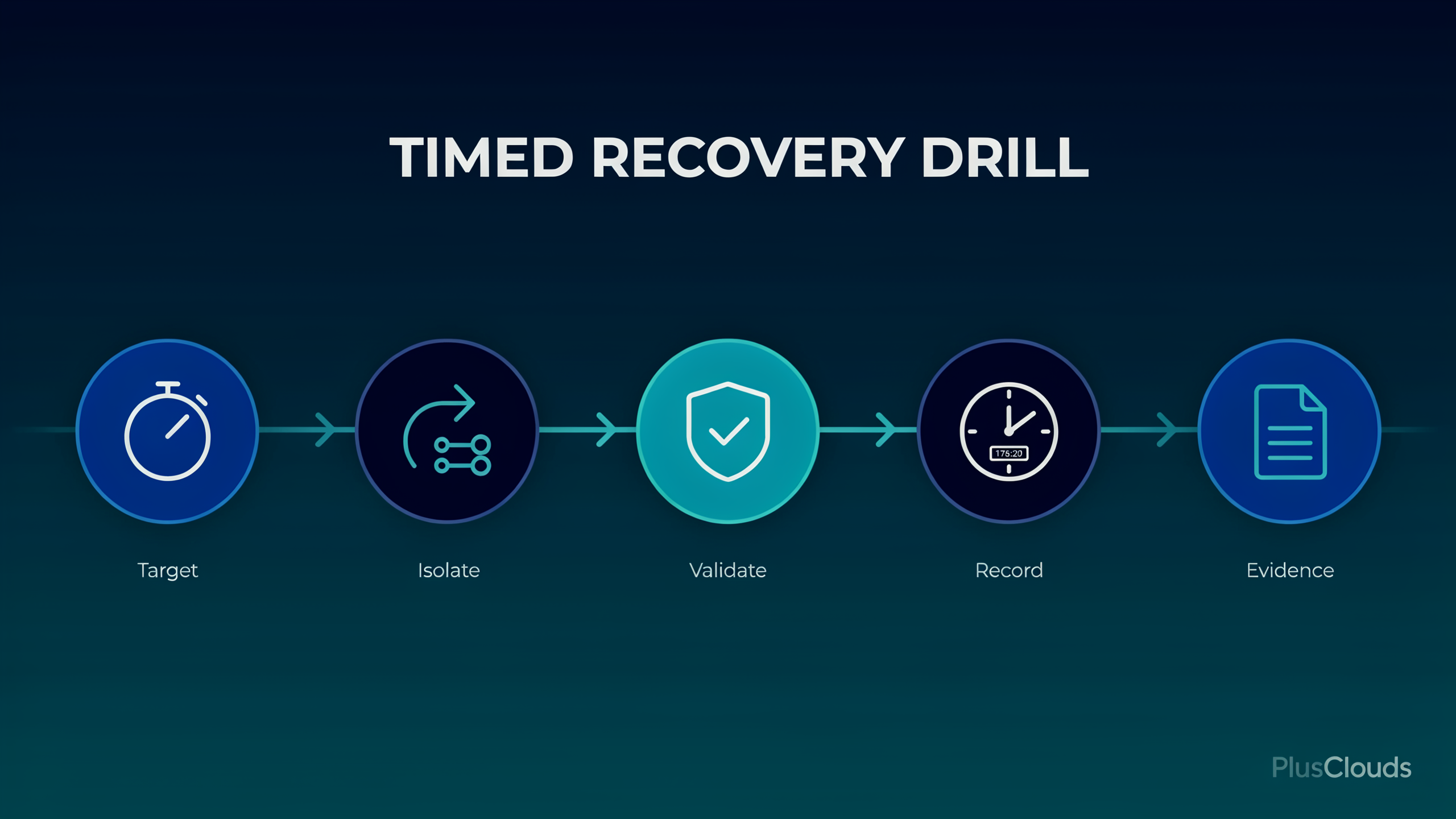
Run the drill as a timed exercise with a defined scope:
- Pick a workload and a restore point. Choose something representative, ideally a Tier 1 system, and a restore point from the immutable tier, not the primary backup repository. The point is to prove the isolated copy works.
- Declare the target. Write down the RTO you intend to meet before starting. This prevents the common failure of measuring a relaxed, unofficial timeline.
- Restore into an isolated environment. Never restore over production during a drill. Bring the workload up in a separate network segment, following the segmentation practices described in How to Segment Your Cloud Network: Public, Private, VPN, DMZ, and Management Zones Explained.
- Validate data integrity. Check row counts, checksums, application-level smoke tests. Confirm the restored data is complete and consistent, not just present.
- Record the timeline. Timestamp every step: detection of the need, retrieval from immutable storage, provisioning, restore, validation, cutover readiness.
The gap between your declared RTO and your measured RTO is the finding. Most teams discover that their real bottleneck is not data transfer but decision latency: who authorizes the restore, who validates the data, who communicates status. Fix the process, then drill again. Twice a year is a reasonable cadence for Tier 1 workloads, and the drill report itself goes straight into your audit evidence folder.
Audit-Ready Reporting: What Evidence NIS2 and SOC 2 Reviewers Actually Ask For
An auditor does not want a demonstration. They want artifacts. For backup and recovery controls, the evidence set that satisfies both NIS2 supervisory review and SOC 2 Trust Services Criteria (specifically A1.2 and A1.3) looks like this:
- Backup policy document defining scope, RPO/RTO per tier, retention, and encryption requirements, with version history and approval signatures.
- Configuration exports showing object lock in compliance mode, bucket policies denying deletion, and versioning status on the immutable tier.
- Job history logs demonstrating that scheduled backups ran successfully over the audit period, with failure alerts and their resolution.
- SLA compliance reports comparing actual recovery point age against declared RPO targets.
- Recovery drill reports with timestamps, measured RTO versus target RTO, validation results, and remediation actions.
- Access reviews for the backup tier showing the identity boundary: who can write, that nobody can delete, and when access was last reviewed.
This is where the architecture pays a compliance dividend. If you built the immutable tier as described above, most of this evidence is generated automatically by the system itself. Configuration exports come from the cloud console. Job logs and SLA reports come from the backup platform. Drill reports come from the exercise you were running anyway. The audit becomes a retrieval exercise instead of a reconstruction project. For the broader picture of mapping infrastructure controls to evidence, How to Run a Cloud Security Audit on Your Infrastructure: A Practical Checklist for 2026 covers the full audit workflow, and ISO 27001 vs SOC 2 for Cloud Businesses: How to Choose Your Compliance Path and Use Your Infrastructure as Evidence explains how to make your infrastructure generate compliance output continuously.
Step-by-Step: Building the Immutable Recovery Layer on PlusClouds Automated Backup and Cloud Storage
Here is how the pieces assemble on PlusClouds infrastructure. The design principle throughout: production credentials never touch the recovery tier, and nothing in the recovery tier can be destroyed by anything in production.
Step 1: Define tiers and targets. Inventory your workloads and assign each one an RPO, RTO, and retention class. Declare these in PlusClouds Automated Backup so SLA tracking measures against them from day one.
Step 2: Provision the isolated storage tenant. Create a PlusClouds Cloud Storage allocation for the immutable tier, separate from your primary storage. Enable versioning and enforce encryption at rest with independently managed keys. This tenant has no shared credentials with your production environment.
Step 3: Configure backup jobs with a write-only identity. Point your backup jobs at the immutable tier using a dedicated credential with write and read permissions only. No delete, no policy modification. Backups land as new objects with object lock applied in compliance mode for your retention period.
Step 4: Enforce the deletion ban at the bucket level. Apply a bucket policy that unconditionally denies s3:DeleteObject, s3:DeleteObjectVersion, and s3:PutLifecycleConfiguration for all principals on the immutable bucket. As noted earlier, the policy is a guardrail; compliance-mode object lock is the actual immutability guarantee, and it survives even a full account compromise.
Step 5: Isolate the network path. Restrict backup traffic to a dedicated network path between production and the storage tier, consistent with the segmentation model from the Zero Trust work in Zero Trust for Cloud Infrastructure: How to Layer Firewall, WAF, and Network Segmentation Without Adding Complexity. The backup tier sits behind PlusClouds Cloud Security's stateful firewall, with WAF and DDoS protection on any exposed management interfaces.
Step 6: Enable SLA tracking and alerting. Turn on SLA monitoring in Automated Backup so recovery point age is measured per workload against declared targets, and route failures into your alerting pipeline.
Step 7: Drill, measure, archive. Run the timed recovery drill from Step 6 of the previous section, restore from the immutable tier into an isolated segment, record the measured RTO, and file the report. Repeat semi-annually.
Step 8: Export your evidence pack. Pull configuration exports, job logs, SLA reports, and drill reports into your audit folder. Refresh it quarterly.
The result is a recovery layer with three independently verifiable properties: no production credential can destroy it, no principal can delete a locked object before retention expires, and every control produces its own evidence.
Ransomware crews have adapted to the 3-2-1 rule. The next adaptation is yours: a recovery tier that is immutable by mechanism rather than by policy, isolated by identity boundary rather than by intention, and auditable by default rather than by reconstruction. NIS2's 24-hour reporting window makes this urgent, but the operational case stands on its own. If you are evaluating infrastructure for this, PlusClouds' Automated Backup, Cloud Storage, and Cloud Security services implement the architecture described above, with explicit RPO/RTO targets, SLA tracking, and remote restore built in. Start with a single Tier 1 workload, run one timed drill, and let the measured result tell you whether the rest of your recovery architecture deserves the same treatment.